

Materials
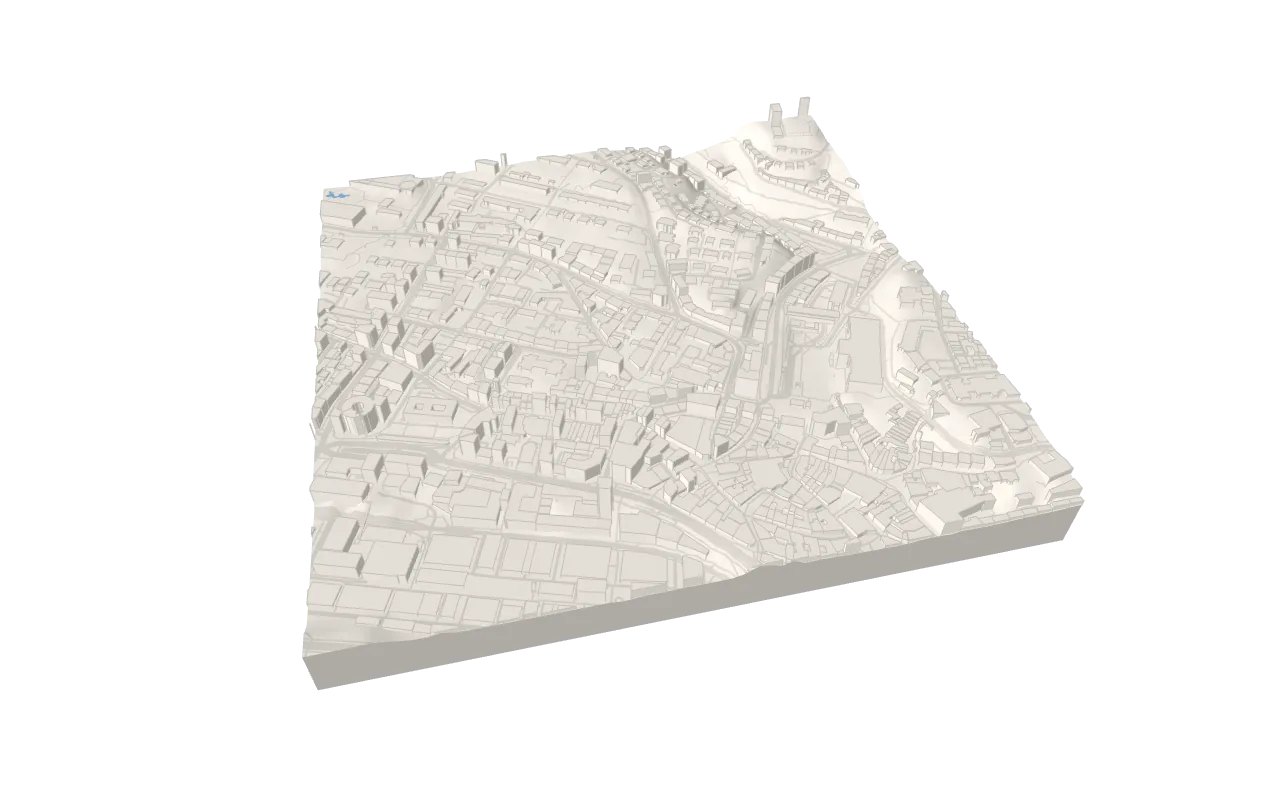
The library draws with three.js’ built-in materials from a few options — the look — and lets you replace any of them. One map in three looks, switched at runtime:
import {  Buildings,  type ImageryProcessor,  Map,  Roads,  TerrainBase,  type TerrainMaterialOptions,  Water} from 'three-map-terrain'
import type { Demo } from './stage'
/** The imagery in grayscale, a little brighter: a `process` of its pixels. */const gray: ImageryProcessor = (context, { width, height }) => {  const image = context.getImageData(0, 0, width, height)  const { data } = image  for (let i = 0; i < data.length; i += 4) {    const luma = 0.2126 * data[i] + 0.7152 * data[i + 1] + 0.0722 * data[i + 2]    data[i] = data[i + 1] = data[i + 2] = luma * 1.1  }  context.putImageData(image, 0, 0)}
const swisstopo = {  url: 'https://wmts.geo.admin.ch/1.0.0/ch.swisstopo.swissimage/default/current/3857/{z}/{x}/{y}.jpeg',  maxZoom: 20,  attribution: '© swisstopo'}
const LOOKS = {  // no imagery: the relief shows in the light  plain: { wireframe: false, color: '#f2ede5', process: undefined },  // swisstopo's photo in grayscale  aerial: { wireframe: false, color: '#ffffff', process: gray },  // the terrain's triangles, the buildings' edges, the roads' center lines  wireframe: { wireframe: true, fillOpacity: 0.12, color: '#9fb3c8' }} satisfies Record<string, Partial<TerrainMaterialOptions>>
// One map in three looks, switched at runtime: the layers take on the// terrain's, their geometry staysconst looks: Demo = ({ scene, camera, choose }) => {  const map = new Map({    location: { lat: 46.5225, lon: 6.635 }, // Lausanne, the old town    elevation: { api: 'mapterhorn' },    options: {      zoom: 15,      nTiles: 1,      tileSegments: 64,      exaggeration: 1,      baseAltitude: 372    },    material: LOOKS.plain  })  map.addLayer(new Buildings({ source: { api: 'openfreemap' }, edges: true }))  map.addLayer(new Roads({ source: { api: 'openfreemap' } }))  map.addLayer(new Water({ source: { api: 'openfreemap' } }))  map.addLayer(new TerrainBase())  scene.add(map.terrain)  void map.init()  camera.position.set(-150, -650, 600)
  choose(['plain', 'aerial', 'wireframe'], (look) => {    map.setSource(look === 'aerial' ? swisstopo : { api: 'none' })    map.setMaterial(LOOKS[look])  })  return map}
export default looks
The look
Section titled “The look”lights, wireframe, fillOpacity, fog, color — the look is shared: the terrain’s (the map’s material) is the default of every layer, which can override it.
// no imagery: a plain model, the relief shows in the light; the layers toonew Map({ location, material: { color: '#f2ede5' } })
// everything in lines: the terrain's triangles, the buildings' edges, the// roads' center lines, the plants' outlines — over a light fill of the facesnew Map({  location,  material: { wireframe: true, fillOpacity: 0.12, color: '#9fb3c8' }})
The imagery’s pixels
Section titled “The imagery’s pixels”process draws on a tile’s stitched imagery before it becomes a texture: tone it, blend in a hillshade, render your own data into it. It runs on the CPU, the same in every browser, and goes into exported models:
import { type ImageryProcessor } from 'three-map-terrain'
const gray: ImageryProcessor = (context, { width, height }) => {  const image = context.getImageData(0, 0, width, height)  const { data } = image  for (let i = 0; i < data.length; i += 4) {    const luma = 0.2126 * data[i] + 0.7152 * data[i + 1] + 0.0722 * data[i + 2]    data[i] = data[i + 1] = data[i + 2] = luma  }  context.putImageData(image, 0, 0)}new Map({ source: { api: 'osm' }, location, material: { process: gray } })
The terrain’s material
Section titled “The terrain’s material”create makes it from the tile’s imagery: any material, PBR maps, a ShaderMaterial, a node material for WebGPURenderer. It is called for every texture and every setMaterial(); the tile owns the imagery texture, the material is the tile’s:
new Map({ source: { api: 'eox' }, location, material: { create: ({ texture }) => new MeshStandardMaterial({ map: texture, roughness: 0.95 }) }})createTerrainMaterial({ texture, options }) is the built-in one, to wrap or start from.
A layer’s materials
Section titled “A layer’s materials”One for all its faces, or one per part (a function returning undefined keeps the look’s for that part). Materials you pass are yours: the layer never disposes them.
const asphalt = new TextureLoader().load('asphalt.jpg') // markings along vasphalt.wrapS = asphalt.wrapT = RepeatWrappingasphalt.repeat.set(1, 1 / 10) // once across, a cycle every 10 m alongconst road = new MeshStandardMaterial({  map: asphalt,  // draped on the terrain: drawn in front of it  polygonOffset: true,  polygonOffsetFactor: -1,  polygonOffsetUnits: -4})
new Roads({  source: { api: 'openfreemap' },  material: (part) => (part === 'surface' ? road : undefined)})
UVs are in meters, so textures repeat at true size:
| Geometry | u |
v |
|---|---|---|
Roads, railways, waterways, decks, drapeLine |
across, from 0 (left) to 1 (right) | along, meters |
Walls (extrude) |
along the wall, meters | up, meters |
Roofs, floors, water, drapePolygon, flat faces |
east, meters (continuous over tiles) | north, meters |
Other faces |
along its first edge, meters | across, meters |
| The terrain | its imagery (0–1 over the tile) | — |
The built-in materials have the look’s colors — each part its own shade — and multiply the vertex colors, white but where colors differ by feature (featureColors). Every vertex also has featureIndex, the index of its feature, for your shaders. highlight() draws over the highlighted features with a material of its own, so it works with any of yours.
At runtime
Section titled “At runtime”Change the look at runtime — the textures are kept, the layers’ materials change in place, their geometry stays, and a material function is asked again:
map.setSource({ api: 'none' }) // imagery off; or another sourcemap.setMaterial({ wireframe: true }) // only a new `process` reloads imagery
// a layer's own look, merged into it; a material or a function replaces itbuildings.setMaterial({ color: '#d8d4cc' })roads.setMaterial((part) => (part === 'surface' ? road : undefined))water.setMaterial(undefined) // the map's look again
Only what a hidden material left out — lines out of wireframe, copies of a hidden part — is drawn when it shows, a few tiles at a time.
The live example’s looks are all made this way: aerial and wireframe from the options and a process (looks.ts), plain from a color per part, textured from a few canvas textures on the parts — and a part hidden where the photo has it already (new MeshBasicMaterial({ visible: false })).
Options
Section titled “Options”| Option | Default | Description |
|---|---|---|
lights |
true |
MeshLambertMaterial (lit) or MeshBasicMaterial (unlit) |
wireframe |
false |
Draw lines — the terrain’s triangles (tileSegments of 32–64 reads well), the layers’ edges and center lines |
fillOpacity |
0 |
In wireframe, how opaque the layers’ faces are under their lines (0.12: a light fill; 0: hidden) |
fog |
true |
Whether the scene fog applies |
color |
#ffffff |
Tints imagery (white leaves it as it is); without imagery, the color of the surface |
process |
— | (context, { width, height, z, x, y }) => void | Promise<void>: draws on a tile’s stitched imagery |
create |
— | ({ texture, tile, options }) => Material: makes a tile’s material; by default createTerrainMaterial, the look |
The first five are the look (MaterialOptions), shared with the layers; process and create are the terrain’s own (TerrainMaterialOptions, defaults in defaultMaterialOptions). Until its texture arrives, a tile shows a shared wireframe placeholder.